Brother is the most common printer brand we supply in New Zealand — by a wide margin. It is also the brand whose owners have the fewest official ways to cut their running costs. This page explains what your options actually are, which ones are safe, and how to work out which cartridge your printer takes.
Why Brother owners feel this the most
Epson has EcoTank. Canon has MegaTank. Both are refillable bottle systems, and both are marketed hard on running cost.
Brother’s answer in New Zealand is Inkvestment — larger cartridges and a long in-box supply — rather than a refillable bottle system. It genuinely does last longer than a standard cartridge. But it is still a cartridge, and when it runs out you are still buying a cartridge.
So if you own a Brother inkjet and you think the ink is expensive, there is no official path to make it cheaper. That is the whole reason this page exists.
Your four options, honestly compared
| Option | What it is | Worth knowing |
|---|---|---|
| Genuine Brother | Brother-branded cartridge | Highest cost per page. No compatibility questions, ever. |
| Genuine high-yield (XL) | Same cartridge, more ink | Almost always better value per page than the standard genuine. If you are staying genuine, buy XL. |
| Compatible | New third-party cartridge, new chip | What we sell. Lower cost per page. Quality varies a lot between suppliers — see below. |
| Refilling your own | Injecting ink into a used cartridge | Cheapest per millilitre, messiest, and the chip often still reports empty. We do not recommend it for Brother. |
We are not going to publish a “save 70%” figure, because genuine prices move and a comparison is only meaningful if it is against a real price on the day you buy. Our prices are on this page. Check them against whatever your usual retailer is charging today and judge for yourself.
Is a compatible cartridge safe in a Brother?
Of the four major brands, Brother has historically been the most tolerant of third-party consumables.
In March 2025, when users publicly alleged that firmware updates were degrading print quality with non-Brother supplies, Brother’s response was that its firmware updates “do not block the use of third-party ink and toner cartridges in our machines” and that its printers do not intentionally degrade print quality based on which cartridge is fitted.
Those claims remain disputed rather than settled, and we mention it so you can make your own call. The sensible precaution is the same on any brand: if third-party cartridges are working for you, do not let the printer update its firmware unasked.
On the warranty question: under the Consumer Guarantees Act 1993, using a third-party cartridge does not automatically void your printer warranty. For a manufacturer to decline a repair on those grounds, the cartridge would have to have actually caused the fault. This is general information about how the law works, not legal advice on your situation.
Which cartridge does my Brother take?
This is where most people go wrong, and it is the single most common reason a cartridge gets returned.
The model number is on the front of the printer, and again on a label on the back or underneath. It looks like MFC-J491DW or DCP-L2540DW or HL-L2350DW. It is not the long serial number — that is a different thing and it will not help you.
Once you have it, look it up rather than guessing. Brother model numbers are close enough to each other that a single wrong digit gets you a cartridge that physically fits and then reports an error.
Not sure? Type your printer model into our finder and it will tell you every cartridge that fits it, or call 0800 INKINK and read the model off the label to us.
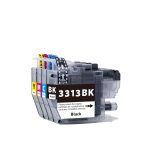
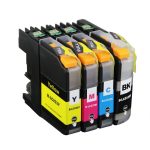
Our Brother ink
These are the Brother cartridges New Zealanders order from us most. Every one is a new compatible cartridge — factory sealed, not refilled and not remanufactured.
If your Brother is printing badly, do not buy ink yet
Faded print, missing colours or streaky lines on a Brother is more often a dried print head than an empty cartridge. Brother heads are fixed inside the printer, so they need cleaning in place.
Run the built-in cleaning cycle twice — no more — then leave the printer switched off overnight using its own power button. That alone fixes a large share of the calls we get. If it is still blocked after that, a proper cleaning kit is the next step, and it costs a lot less than a printer.
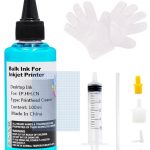
The full method, including what not to do, is in our print head guide.
Still not sure?
Call 0800 INKINK and tell us the printer model and what the page looks like. We would rather tell you not to buy something than sell you a cartridge that will not fix your problem.