HP runs three separate things that all affect which cartridges your printer will accept, and they get muddled together constantly — including by people selling you printers. They are not the same, they have different consequences, and one of them cannot be undone. Here is what each one actually commits you to.
The three things, kept apart
| What it is | What it costs you | |
|---|---|---|
| Instant Ink | A subscription. You pay per page printed, HP posts you cartridges automatically. | The cartridges belong to the service. Cancel and they stop working — you go back to buying your own. |
| HP+ | An enrolment offered at printer setup, usually in exchange for extra warranty and free Instant Ink months. | The printer will only ever accept genuine HP cartridges. It also has to stay connected to the internet. This cannot be reversed. |
| Dynamic Security | A chip-checking system built into most HP printers, whether or not you enrolled in anything. | Cartridges without an HP chip may be rejected, and a firmware update can change the rules after you have bought. |
HP+ is the one to be careful about
Instant Ink you can cancel. Dynamic Security you can manage. HP+ is a one-way door. It is offered during setup, it sounds like a free upgrade, and once accepted the printer is locked to genuine HP supplies for the rest of its life.
If you are setting up a new HP printer and you intend to use third-party cartridges, decline HP+ at setup. There is no way back afterwards, and no third-party cartridge will help you.
Dynamic Security, and what happened in court
HP publicly operates Dynamic Security, which checks cartridge chips and can stop cartridges without an HP chip from working. Firmware updates have at various times changed how strictly this behaves — cartridges that worked yesterday can stop working after an overnight update.
This has been litigated. In March 2025 HP settled a US class action brought over printers locking out third-party toner. HP paid no damages and admitted nothing, but agreed to keep disclosing its use of Dynamic Security and to keep giving users the choice to install or decline firmware updates.
Note what that settlement does and does not do. It preserves your right to decline an update. It does not promise that any given cartridge keeps working.
The two minutes that prevent most of this
Turn off automatic firmware updates on any HP printer running third-party cartridges.
Printer Settings → Services or Preferences → Printer Update → set to “Notify me” or “Do not check”. On the HP Smart app: Printer Settings → Advanced → Printer Update.
Do it before you have a problem. Once an update has installed, going back is difficult and on many models impossible.
This is why every HP product page on this site carries a firmware notice next to the price rather than buried in an FAQ. We would rather you knew before you bought.
Where you stand in New Zealand
Using a third-party cartridge does not automatically void your printer warranty. Under the Consumer Guarantees Act 1993, goods must be of acceptable quality, and that guarantee sits with the retailer and manufacturer regardless of what a warranty document says. For a manufacturer to decline a repair on these grounds, the fault would have to have actually been caused by the cartridge — a leak that damaged the head, for example. A rejected chip is not damage.
This is general information about how the law works, not legal advice on your situation. Consumer Protection NZ and Consumer NZ both publish plain-English guides to CGA rights.
Our HP cartridges
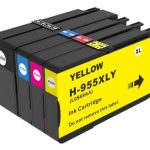
Every HP product page here states which printers it fits and carries the firmware notice. If an update has already locked you out, call us before buying more cartridges — the answer depends on your exact model, and sometimes the honest answer is that there isn’t one.
Still not sure what you have?
Call 0800 INKINK and tell us the printer model and whether you remember accepting anything during setup. We can usually work out from that whether you are on HP+, and therefore whether we can help you at all.