“Is the XL worth it?” is the most common question we get after “which one fits my printer”, and it has a real answer that takes about thirty seconds to work out. The number you want is cost per page, and the price on the shelf tells you almost nothing about it.
The arithmetic
cost per page = price ÷ page yield
That is the whole method. The only hard part is finding the yield, and it is usually printed on the box or on the product page. Ours is on every product page where the manufacturer publishes one.
A worked example with a cartridge we sell:
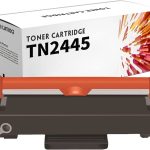
| Brother TN-2445 | |
|---|---|
| Price (incl GST) | $29.98 |
| Rated yield | approx. 3,000 pages at 5% coverage |
| Cost per page | about 1.0 cent |
Now do the same sum for whatever you were about to buy instead. If one cartridge is half the price but a third of the pages, it is the more expensive one.
Why XL almost always wins
A standard and an XL cartridge are the same plastic shell, the same chip and the same manufacturing. The XL just has more ink in it. You are paying twice for the shell when you buy two standards instead of one XL.
Typical shape of it, across every brand:
- The XL costs roughly 1.5–2× the standard
- The XL holds roughly 2–3× the ink
So the XL usually works out cheaper per page. Two situations where it does not:
- You print very rarely. A big cartridge that dries out before you use it is not a bargain. If you print less than a few pages a month, buy standard and buy fresh.
- You are about to replace the printer. Do not stock up on ink for a machine you are retiring.
“5% coverage” — what that actually means
Every published yield figure assumes 5% coverage: roughly a page of ordinary double-spaced text. It is an ISO standard so that brands can be compared, not a promise about your printing.
If you print photos, dense colour, or anything with a background, you will get a fraction of the rated pages. That is not a faulty cartridge and it is not a dishonest yield figure — it is the same standard applied to a different job.
Rule of thumb: text documents land near the rated yield. Presentations with coloured backgrounds land near half. Photos land nowhere near it — count photos, not pages.
The number most people forget: the printer itself
Cheap inkjets are sold below cost and paid for by the cartridges. Over three years, ink very often costs more than the printer did.
So if you are choosing a new machine, work out the cost per page of its cartridges before you buy it, not after. A $99 printer with 4 cent pages is worse value than a $299 printer with 1 cent pages if you print more than about 5,000 pages.
This is also why the tank printers — Epson EcoTank, Canon MegaTank, HP Smart Tank — exist. They cost more up front and dramatically less per page. Whether that is right for you depends entirely on how much you actually print.
Where third-party cartridges fit
We are not going to publish a percentage saving, because genuine prices move and a comparison is only honest against a real price on the day you buy.
What we will tell you is how to check: take our price and yield off the product page, work out the cents per page, then do the same sum against whatever your usual retailer is charging today. Two sums, one minute, and you will have a number that is actually true for you rather than a marketing claim.
Not sure what your printer costs to run?
Call 0800 INKINK with the model. We can usually tell you the cents per page off the top of our heads, and occasionally the honest answer is that the machine is expensive to run and you would be better off replacing it.