Dye and pigment are two genuinely different kinds of ink, they behave differently on paper, and using the wrong one is why some prints run when they get damp and others fade on the fridge. Most people never hear about this until something has already gone wrong.
The difference in one table
| Dye ink | Pigment ink | |
|---|---|---|
| What it is | Colour dissolved in liquid | Solid colour particles suspended in liquid |
| On the page | Soaks into the fibres | Sits on the surface |
| Colour | Brighter, wider range — better for photos | Slightly flatter, but crisper edges on text |
| Water | Runs if it gets wet | Water resistant once dry |
| Light | Fades faster | Holds colour much longer |
| Clogging | Less prone | More prone if the printer sits unused |
Which one is in your printer?
Most home inkjets use both, and this catches people out.
A very common arrangement — Canon PGI/CLI, HP OfficeJet, many Epson — is:
- Pigment black for text, so documents are sharp and do not run
- Dye colour for photos and graphics, so colours are vivid
That is why Canon printers have a PGBK cartridge and a BK cartridge, and why they are not interchangeable even though both are black. PGBK is the pigment one for paper documents. BK is the dye one used in photo printing. Fitting one where the other belongs does not work.
Canon owners, the practical version: if your text is coming out grey and washed out on plain paper, you are probably out of PGBK — not out of the other black.
When it actually matters
Choose pigment when:
- The print will be handled, filed, or might get damp — invoices, labels, shipping documents, anything going in a shed or a van
- It needs to last years without fading
- You are printing on labels or coated stock where ink cannot soak in
Choose dye when:
- You are printing photos on photo paper
- Colour vibrancy matters more than durability
- The printer gets used regularly — dye is more forgiving of gaps between jobs
Refill ink: this is where it goes wrong
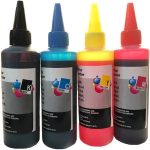
If you are topping up a tank printer or refilling a cartridge, the ink type has to match what the printer expects. Putting pigment through a system designed for dye can block the head, and the damage is not always reversible.
Our refill bottles state which they are. If you are not sure what your machine takes, ask before you pour — this is one of the few mistakes in printing that costs you the printer rather than the cartridge.

Sublimation ink is a third thing entirely
Worth saying because it comes up: sublimation ink is not for paper. It is designed to be printed onto transfer paper and then heat-pressed onto polyester fabric or coated mugs, where it turns to gas and bonds into the material.
It looks dull and wrong when printed straight onto paper — that is expected, not a fault. And a printer that has run sublimation ink should not be switched back to normal ink.
Not sure which your printer uses?
Call 0800 INKINK with the model number. It takes us seconds, and it is worth asking before you buy refill ink rather than after.