Tank printers changed the running-cost maths completely — Epson EcoTank, Canon MegaTank, HP Smart Tank all work the same way. They also fail in different ways from cartridge printers, and the advice that works on a cartridge machine can make a tank machine worse.
What is actually different
There is no cartridge. The printer has built-in reservoirs that you refill from a bottle. The print head is permanent and stays in the printer for its whole life.
Two consequences that matter:
- Ink is cheap, the head is not. On a cartridge printer, a blocked head often gets replaced along with the cartridge. On a tank printer there is nothing to replace — if the head dies, the printer is done. Head maintenance matters much more here.
- You cannot tell the ink level from the software alone. Look at the actual tanks. The window on the front is the honest gauge.
Filling it properly
- Fill to the upper line, not to the top. The tanks need air space. Overfilling causes leaks and, on some models, ink flooding into the waste pad.
- Match the colour to the tank. Modern Epson bottles are keyed so the wrong colour will not seat — do not force one that will not go.
- Do not top up a tank that is only slightly down. Wait until it is near the lower line. Constant topping up makes it impossible to judge consumption and increases the chance of spills.
- Keep the printer level while filling and afterwards.
Which bottle does an EcoTank take?
Epson’s bottle numbering is not obvious and it is the single most common EcoTank ordering mistake. The bottle number is not the printer number.
| Bottle | Common New Zealand models |
|---|---|
| 502 | ET-2700, ET-2750, ET-3700, ET-4750 and similar |
| 522 | ET-1110, ET-1810, ET-2710, ET-2720, ET-2810, ET-2820, ET-2910, ET-2920, ET-4700, ET-4800, ET-4900 |
| 542 / 552 / 664 / 774 | Larger and older EcoTank and ET-M models |
Check the label on the back of the printer against the product page before ordering. If in doubt, read the model to us on 0800 INKINK.

The three things that kill tank printers
1. Long gaps between jobs
This is the big one. The head is permanent, and permanent heads dry out. Print one colour page a week. A page of coloured text is enough. It costs fractions of a cent and it is the single most effective thing you can do.
2. Switching off at the wall
Turn the printer off with its own power button. That parks the head on its capping station, which seals it against air. Killing power at the wall leaves the head exposed. On a tank printer this is not a minor habit — it is the difference between a head that lasts years and one that does not.
3. Running a tank dry
Letting a tank empty completely can draw air into the ink line, and clearing that is much harder than a normal clog. Refill before it hits the lower line.
If it is already printing badly
Same order as any inkjet: nozzle check first, then two cleaning cycles and no more, then leave it off overnight using its own button. Cleaning cycles on tank printers still fill a waste pad, and on Epson models a counter tracks it — when it fills, the printer stops until it is serviced.
If it is still blocked after that, a proper cleaning kit is the next step, and on a tank printer it is worth doing carefully because there is no head to replace.
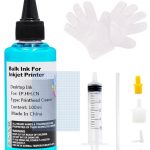
The full method, including what not to put through a print head, is in our print head guide.
Is a tank printer right for you?
Honestly: it depends on volume, and the break-even is higher than the advertising suggests. Tank machines cost more up front. If you print a few hundred pages a year, a cartridge printer is fine and you will never recover the difference. If you print thousands, the tank machine pays for itself and keeps going.
Work out your own number with the method in our cost per page guide rather than taking anyone’s word for it.